Topographer
CBOMs
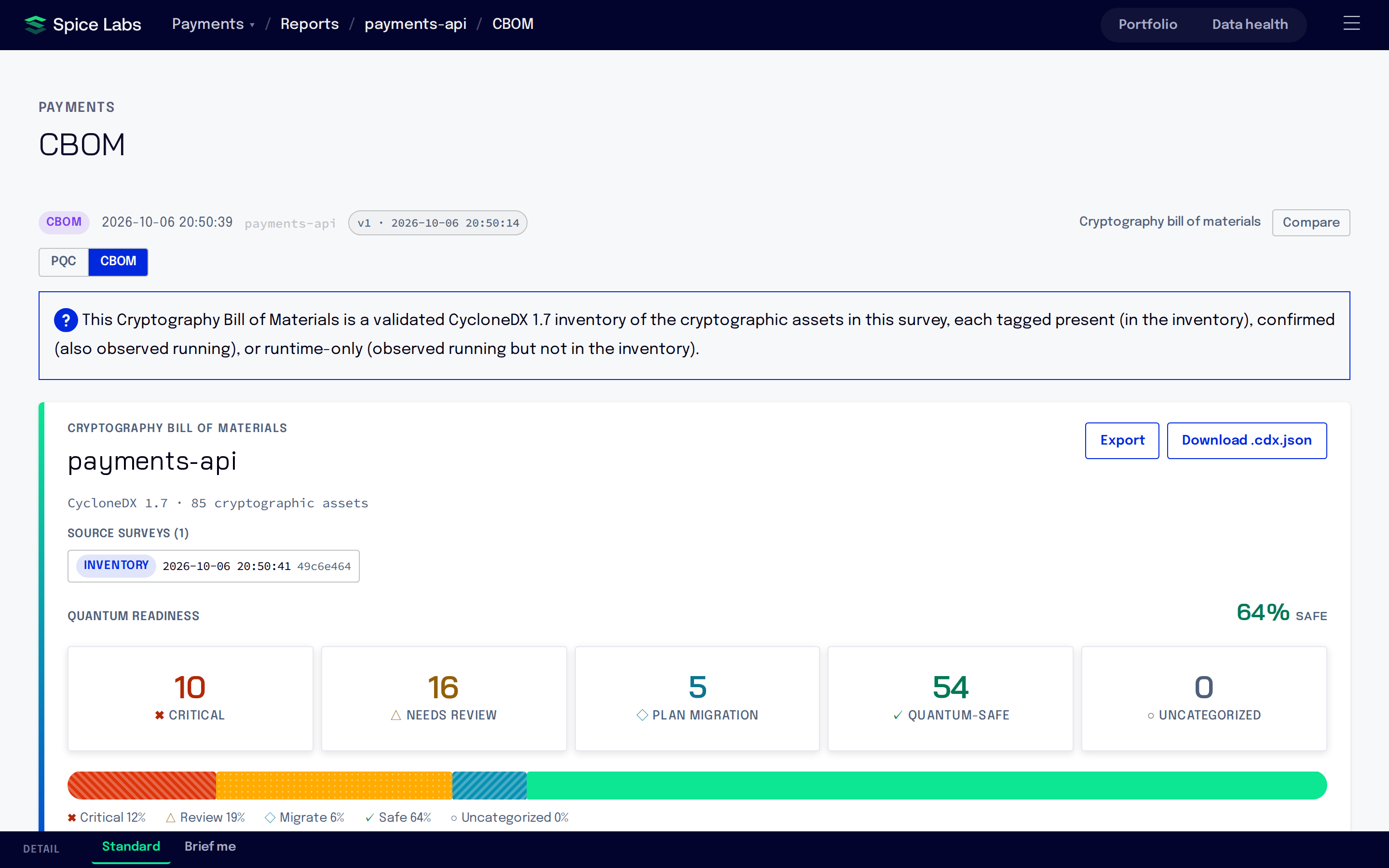
A cryptography bill of materials (CBOM) is a CycloneDX document that lists the cryptographic assets found in a survey: algorithms, certificates and protocols, classified for post-quantum readiness. Every survey produces one. A combined CBOM goes further: it correlates an inventory survey and a runtime survey of the same artifact to show what cryptography is present and what actually runs.
Open a CBOM
Open the menu (☰), choose Surveys and select a survey. Under Reports, select View report → on the CBOM card (“Cryptography bill of materials (CycloneDX 1.7)”) or the Combined CBOM card. You can also choose Reports in the menu and filter by CBOM or Combined CBOM.
The CBOM view has three sections:
- Algorithms: each algorithm with its Family, Primitive, NIST QSL (quantum security level), Risk, Presence and Source artifacts.
- Certificates
- Protocols
Filter the list with All asset types, All presence and All source artifacts.
Export a CBOM
- Download .cdx.json saves the CycloneDX document itself. This is the file to give to auditors and to other CBOM tools.
- Export offers a readable version as PDF, HTML, Excel, CSV or PowerPoint. The menu lists only the formats that have finished rendering.
Anchor a runtime survey
An inventory survey records every jar, war and ear it indexes, so it knows which artifacts it covers. A runtime survey does not: instrumentation alone cannot tell which build artifact it is exercising. To make a runtime survey correlate, anchor it to the artifact under test with --anchor, which hashes that artifact:
spice survey runtime payments-api --anchor ./build/libs/app.jar --jfr -- java -jar ./build/libs/app.jarWithout --anchor, a runtime survey still produces its own CBOM, but it cannot be combined with an inventory survey. Runtime surveys covers the command and its options.
Get a combined CBOM
-
Survey the build
Run an inventory survey of the build into the project. It indexes every jar, war and ear inside it.
spice survey inventory payments-api ./build/libs -
Run an anchored runtime survey
Anchor the runtime survey to one of the artifacts the inventory survey indexed, and run it into the same project.
spice survey runtime payments-api --anchor ./build/libs/app.jar --jfr -- java -jar ./build/libs/app.jar -
Open the Combined CBOM
When both surveys finish, a Combined CBOM report appears alongside the per-survey reports. Find it on the survey’s page or under Reports in the menu.
Correlation is by the artifact’s content hash, not by the subject name. The anchored artifact only needs to be one the inventory survey indexed: the top-level artifact, or any jar, war or ear nested inside it.
Present, confirmed and runtime only
The combined CBOM marks each cryptographic asset by where it was seen, in the Presence column:
| Presence | Meaning |
|---|---|
| Confirmed | In the inventory and observed running. |
| Present | In the inventory. |
| Runtime only | Observed running, not in the inventory. |